• Link to X
  • Link to Facebook
  • Link to Youtube
  • Link to LinkedIn
  • Link to LinkedIn
  • Link to Mail
Call: 888-292-2303 | Text: 854-777-9199
Website Developer
  • Home
  • Services
    • Design & Marketing
      • Website Development
      • SEO – Optimization
      • Google Ads
      • Logo Design and Branding
    • Business Services
      • Domain Registration
      • Website Hosting
      • Business Email
      • Website Security
      • Email Marketing
  • Portfolio
  • About
    • Our Team
    • Reviews
    • Blog
  • Quote
  • Menu Menu

Archive for category: Graphic Design

Transitions: The Missing Link in Your Presentation

in Graphic Design, Marketing, Press

Have you ever heard a presentation that was so engaging and informative that you couldn't help but pay attention? Or have you ever been bored out of your mind by a presenter who just clicked through slides without any clear direction?

The difference between a great presentation and a bad one often comes down to transitions. Transitions are words and phrases that help your audience follow along as you move from one point to the next. They signal the end of one topic and the beginning of another, and they help to create a smooth, logical flow for your presentation.

There are many different types of transitions that you can use, but some of the most effective include:

  • Bridge words and phrases: These words and phrases connect one idea to another, such as “furthermore,” “however,” “in addition,” and “therefore.”
  • Trigger transitions: These transitions use a keyword or phrase from the previous slide to introduce the next slide. For example, you might say, “In the last slide, we talked about the benefits of our product. Now, let's take a look at how it works.”
  • Questions: Asking questions is a great way to engage your audience and get them thinking about the topic. You can use questions to introduce a new idea, summarize a previous point, or transition to the next slide.
  • Flashbacks: If you need to remind your audience about something that you mentioned earlier in your presentation, you can use a flashback transition. For example, you might say, “Do you remember when I said that our product is the best on the market? Well, here's why.”
  • Point-by-point transitions: These transitions are used to signal that you are about to list a series of items. For example, you might say, “There are three main benefits to our product. First, it is easy to use. Second, it is affordable. And third, it is backed by a satisfaction guarantee.”
  • Visual aids: You can also use visual aids to transition from one topic to the next. For example, you might show a picture of a new product, or you might display a graph or chart to illustrate a point.
  • Pauses: Even a simple pause can be an effective transition. It gives your audience a chance to absorb what you have just said and to prepare for what is coming next.
  • Physical movement: Moving around the room or changing your stance can also be a way to transition between topics. This can help to keep your audience engaged and to emphasize your points.
  • Personal stories: Personal stories can be a great way to connect with your audience and to make your presentation more memorable. You can use a personal story to introduce a new topic, to illustrate a point, or to conclude your presentation.
  • The PEP formula: The PEP formula stands for Point, Example, Point. It is a simple but effective way to structure your presentation. To use the PEP formula, simply make a point, then provide an example to support your point, and then reiterate your point.

Using transitions effectively is an important part of creating a seamless presentation. By carefully planning your transitions, you can ensure that your audience follows along easily and that your message is clear and concise.

Here are some additional tips for using transitions effectively:

  • Use a variety of transitions. Avoid using the same transition over and over again.
  • Be specific. Don't just say, “On the next slide.” Instead, say something like, “On the next slide, we're going to take a look at the key benefits of our product.”
  • Be consistent. Use the same transition style throughout your presentation.
  • Practice your transitions. When you practice your presentation, be sure to practice your transitions as well. This will help you to deliver them smoothly and confidently.

By following these tips, you can use transitions to create a presentation that is engaging, informative, and easy to follow.

https://e5ksduxy2e6.exactdn.com/wp-content/uploads/2020/08/thesitecrew-1200x628-layout1370-1fjm0ss.png?strip=all&quality=92 628 1200 admin /wp-content/uploads/2015/09/logo-large-e1443277888385.png admin2020-08-17 18:30:542023-09-27 01:42:58Transitions: The Missing Link in Your Presentation

Free Social Media Image

in Graphic Design

Here's our Free Social Media Image for this month made especially for you, our client.   Download and use it on social media!

Happy Mother's Day Happy Mother's Day Happy Mother's Day

https://e5ksduxy2e6.exactdn.com/wp-content/uploads/2019/05/thesitecrew-1200x1200-layout1418-1ecrsk4.jpg?strip=all&quality=92 1200 1200 admin /wp-content/uploads/2015/09/logo-large-e1443277888385.png admin2019-05-04 16:22:342019-06-18 12:53:17Free Social Media Image

The Difference Between Copyrighted and Royalty-Free Images

in Graphic Design, Legal

Copyright is a type of intellectual property that protects original works of authorship, such as books, movies, music, and images. When you create an original work of authorship, you automatically own the copyright to that work. This means that you have the exclusive right to reproduce, distribute, perform, display, and create derivative works based on your work.

Royalty-free images are images that you can use without having to pay royalties to the copyright holder. This does not mean that the images are copyright-free. It simply means that you do not have to pay royalties to the copyright holder each time you use the image.

There are a number of different websites where you can find royalty-free images. Some of these websites, such as Pixabay and Unsplash, offer free images that you can use for any purpose, including commercial purposes. Other websites, such as Shutterstock and iStock, charge a fee for royalty-free images. However, once you have paid the fee, you can use the image as many times as you want without having to pay any additional royalties.

When choosing between copyrighted and royalty-free images, it is important to consider your needs. If you need an image for a personal project, such as a blog post or a social media post, you may be able to use a copyrighted image without permission. However, if you need an image for a commercial project, such as a website or a product brochure, you should use a royalty-free image to avoid any copyright infringement issues.

Here is a table that summarizes the key differences between copyrighted and royalty-free images:

CharacteristicCopyrighted imageRoyalty-free image
CopyrightYesYes
RoyaltiesYesNo
UsePermission required for commercial usePermission not required for commercial use

drive_spreadsheetExport to Sheets

Here are some tips for using copyrighted and royalty-free images:

  • Always check the copyright status of an image before using it. You can do this by contacting the copyright holder or by searching for the image online to see if it is copyrighted.
  • If you are using a copyrighted image, be sure to obtain permission from the copyright holder before using it. You can do this by contacting the copyright holder directly or by using a copyright clearance service.
  • When using a royalty-free image, be sure to check the terms of the license. Some licenses may have restrictions on how you can use the image.

By following these tips, you can avoid copyright infringement issues and ensure that you are using images legally.

https://e5ksduxy2e6.exactdn.com/wp-content/uploads/2018/09/Royalty-Free-Images.jpg?strip=all&quality=92 802 1500 admin /wp-content/uploads/2015/09/logo-large-e1443277888385.png admin2018-09-30 07:56:202023-09-27 02:01:20The Difference Between Copyrighted and Royalty-Free Images

Trademark Registration: Protecting Your Logo Design

in Graphic Design, Legal

A logo is a visual representation of your brand. It is what people will see when they think of your company, and it is important to protect it. One way to protect your logo is to register it as a trademark.

A trademark is a word, phrase, symbol, or design, or a combination of those things, that identifies and distinguishes the source of the goods of one party from those of others. A service mark is the same as a trademark, except that it identifies and distinguishes the source of a service rather than a product.

Registering your logo as a trademark gives you the exclusive right to use it in connection with the goods or services that you specify in your registration. This means that no one else can use your logo without your permission.

To register your logo as a trademark, you need to file an application with the United States Patent and Trademark Office (USPTO). The USPTO will review your application and determine if your logo is eligible for registration. If your logo is approved, you will be granted a trademark registration.

A trademark registration lasts for 10 years and can be renewed for additional 10-year periods. To renew your trademark registration, you need to file a renewal application with the USPTO within six months of the expiration date of your registration.

Why should you register your logo as a trademark?

There are many benefits to registering your logo as a trademark, including:

  • Protection from infringement: Registering your logo as a trademark gives you the exclusive right to use it in connection with the goods or services that you specify in your registration. This means that no one else can use your logo without your permission. If someone does use your logo without your permission, you can sue them for trademark infringement.
  • Increased brand awareness: A registered trademark can help to increase brand awareness. When people see your registered trademark, they will know that it is associated with your company and the goods or services that you offer.
  • Competitive advantage: A registered trademark can give you a competitive advantage over your competitors. When people are choosing between two similar products or services, they are more likely to choose the product or service that has a registered trademark.
  • Value to your business: A registered trademark can be a valuable asset to your business. It can be sold or licensed to others, and it can be used to secure financing.

How to register your logo as a trademark

To register your logo as a trademark, you need to file an application with the USPTO. The USPTO has a website where you can file your application online. The application fee is $275.

When you file your application, you will need to provide the following information:

  • Your name and contact information
  • The goods or services that you offer
  • A drawing of your logo
  • A statement of how you intend to use your logo in connection with the goods or services that you offer

The USPTO will review your application and determine if your logo is eligible for registration. If your logo is approved, you will be granted a trademark registration.

Conclusion

Registering your logo as a trademark is a great way to protect your brand and your business. If you have not already registered your logo as a trademark, I encourage you to do so.

https://e5ksduxy2e6.exactdn.com/wp-content/uploads/2018/09/Protecting-Your-Logo-Design.jpg?strip=all&quality=92 1000 1500 admin /wp-content/uploads/2015/09/logo-large-e1443277888385.png admin2018-09-29 23:38:402023-09-27 01:59:19Trademark Registration: Protecting Your Logo Design

Evolution of a Brandmark: Fairfield County Library

in Blogging, Graphic Design, Web Design

Fairfield County Library

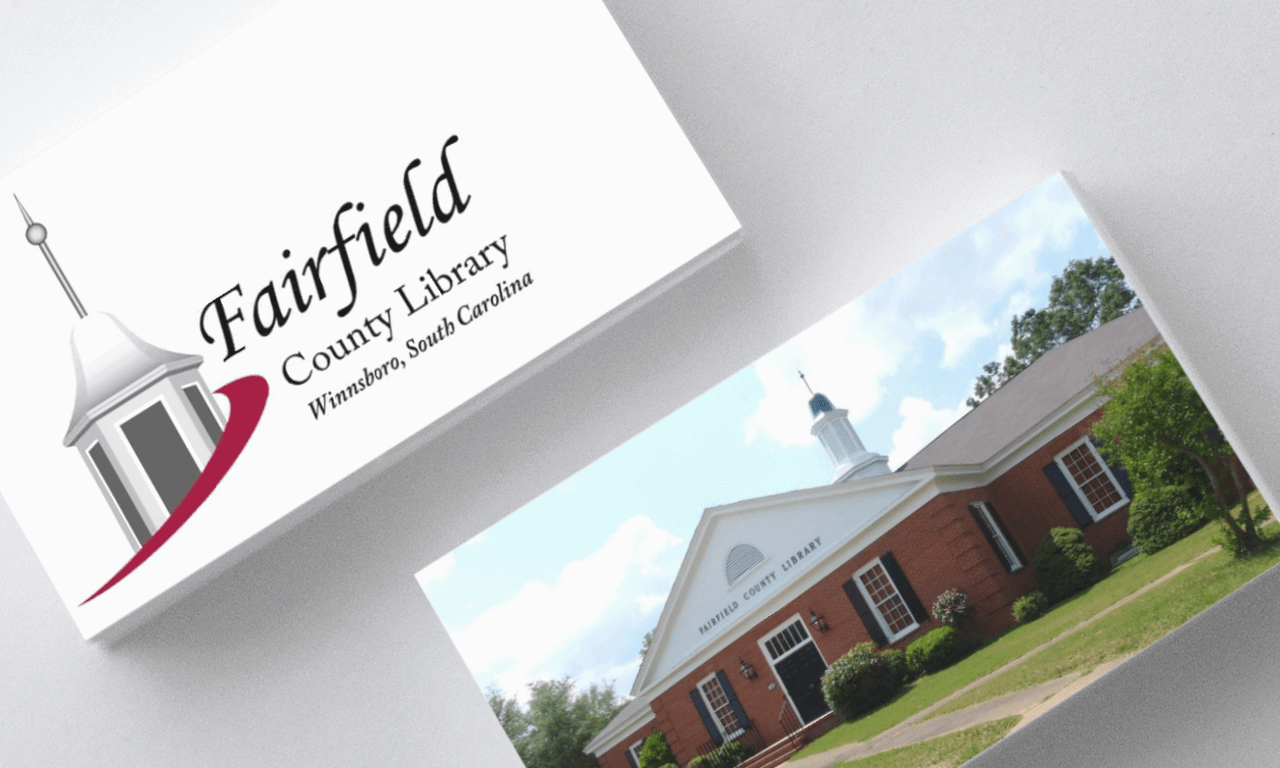
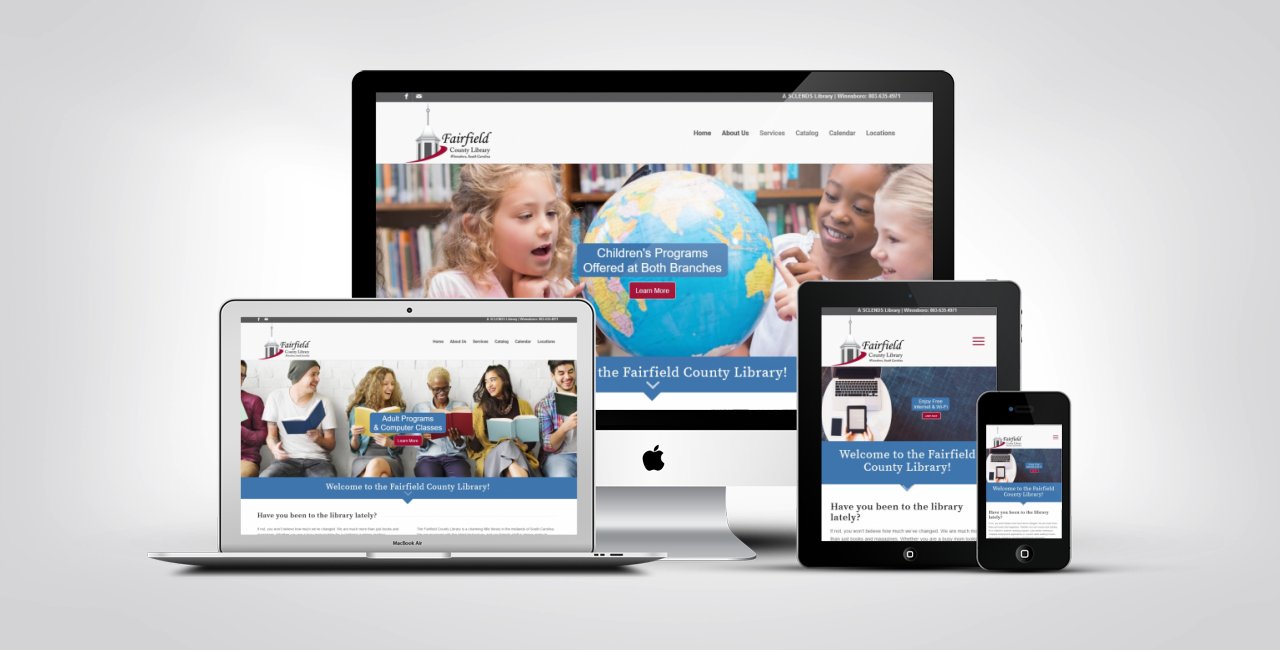
We were proud to have had the opportunity to work with the Fairfield County, South Carolina library system to create their new logo/brandmark and website.  They came to us with a unique idea that we were excited to bring to life!

The first rule of design is that all design must have a purpose.  The second rule is to listen to your client.  During our initial discussion with the client, the most important concepts in this case were history and legacy.  The main branch of the Fairfield County library is located in a building which exemplified both history and legacy.  Developing a concept which encompassed the history of the building and the colonial legacy of the region – along with an element of modern design – was key to creating a memorable brandmark for such an important landmark.

We utilized the building cupola as the key element to tie the brandmark to the rich history and legacy of the library while maintaining a bond with the colonial heritage of the region.  A modern upward moving swoosh carries the eye to the name and finishes the concept with a forward look and feel.  The deep red color coupled with the black and white cupola reinforces the historic to modern feeling necessary to appeal to a wide age demographic.

Special thank you to the good folks at the Fairfield County Library System for choosing us to work with them on this challenging and enjoyable project!

library websites

https://e5ksduxy2e6.exactdn.com/wp-content/uploads/2018/08/Fairfield-County-Library.png?strip=all&quality=92 768 1280 jong833@gmail.com /wp-content/uploads/2015/09/logo-large-e1443277888385.png jong833@gmail.com2018-08-16 15:41:122018-08-16 19:24:03Evolution of a Brandmark: Fairfield County Library

Categories

  • AI
  • Blogging
  • Domain Names
  • Email
  • Google
  • Graphic Design
  • Hosting
  • Legal
  • Marketing
  • Press
  • SEO
  • Social Media
  • Web Design

Get Your Domain Name


Recent Blog Posts

  • Why lang Matters
    The Tiny Attribute with a Massive Impact: Why lang MattersJune 8, 2026 - 4:24 pm

    In the world of web development, we often obsess over complex JavaScript frameworks or pixel-perfect CSS. But there is a tiny, two-letter attribute sitting at the very top of your HTML—the lang attribute—that carries more weight for user experience than almost any other single line of code. Whether you are a developer, a content strategist, […]

  • Congratulations
    Florida SBDC at UCF Named SBA’s 2026 National Small Business Development Center of the YearApril 22, 2026 - 9:51 am

    On behalf of the entire team at TheSiteCrew.com, I want to extend our warmest congratulations to the Florida SBDC at UCF for being named the 2026 National Small Business Development Center of the Year. It has been a true honor to serve as their web development partner and to work alongside such a dedicated group […]

  • WooCommerce vs Shopify
    WooCommerce vs Shopify: Which Platform is Right for You?April 8, 2026 - 2:30 pm

    Executive Summary Choosing between WooCommerce and Shopify can be daunting for new online store owners. This guide breaks down the key differences between these two popular e-commerce platforms. Understanding their strengths and weaknesses helps you select the one that best suits your business needs, budget, and technical skills. A simple 3-step method involves assessing your […]

  • The Secret Sauce of Local SEO: Understanding NAP
    The Secret Sauce of Local SEO: Understanding NAPMarch 2, 2026 - 6:24 pm

    If you’ve been diving into the world of digital marketing to get your business more visibility, you’ve likely stumbled across the acronym NAP. It sounds simple—maybe even like something you’d do on a Sunday afternoon—but in the world of Local SEO, it’s one of the most critical pillars of your online identity. At TheSiteCrew.com, we’re […]

Mail Mail Email Us

Got questions? We’d love to hear from you. Drop us a line and we’ll respond as soon as possible.

Contact Us

TheSiteCrew.com

email: email@thesitecrew.com

Toll-Free Call: 888-292-2303
Text or Call: 854-777-9199

SandyMeier.com, LLC
1201 Congressional Blvd.
Summerville, SC 29483
Mon – Fri: 9am – 5pm
Friday: We are working, but it’s a day devoted to website development and launch.

Certified Google Partner

Google Partner

Credit Cards Accepted

Charitable Giving

KivaWe support Kiva.org to help create small business opportunity for people around the world.

© SandyMeier.com, LLC | ALL RIGHTS RESERVED | Privacy
  • Sitemap
Scroll to top Scroll to top Scroll to top